
Disable M365 Outlook Report Add-in
Once you have installed TitanHQ for Outlook, you can disable the built-in M365 reporting tool from your Outlook client. You can do this by logging into Microsoft Exchange and configuring the User Reported Settings in the Microsoft Defender portal to use a non-Microsoft add-in.
Go to Defender > Settings > Email & collaboration > User reported settings. Select Use a non-Microsoft add-in button.
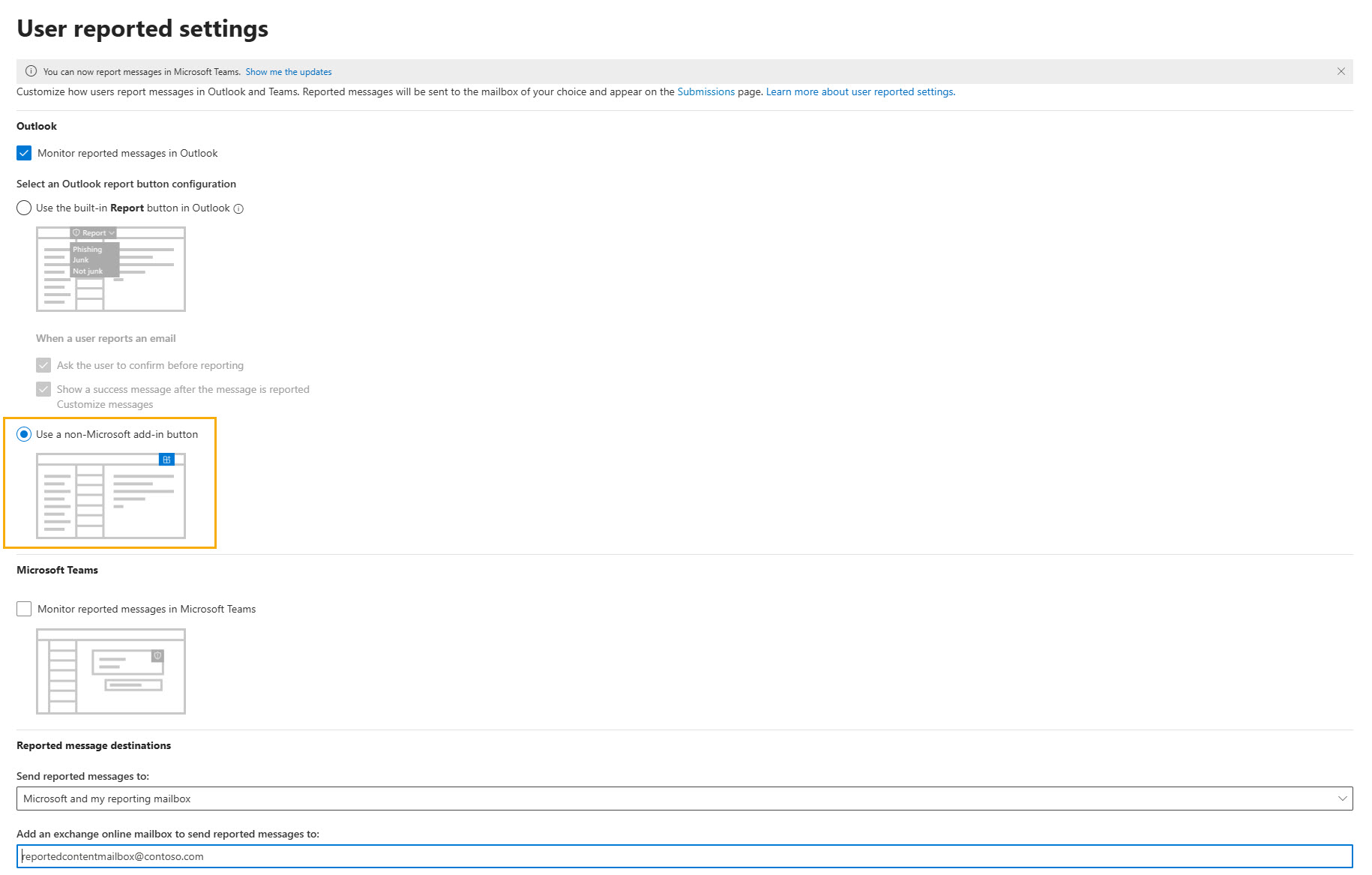
Select Save.