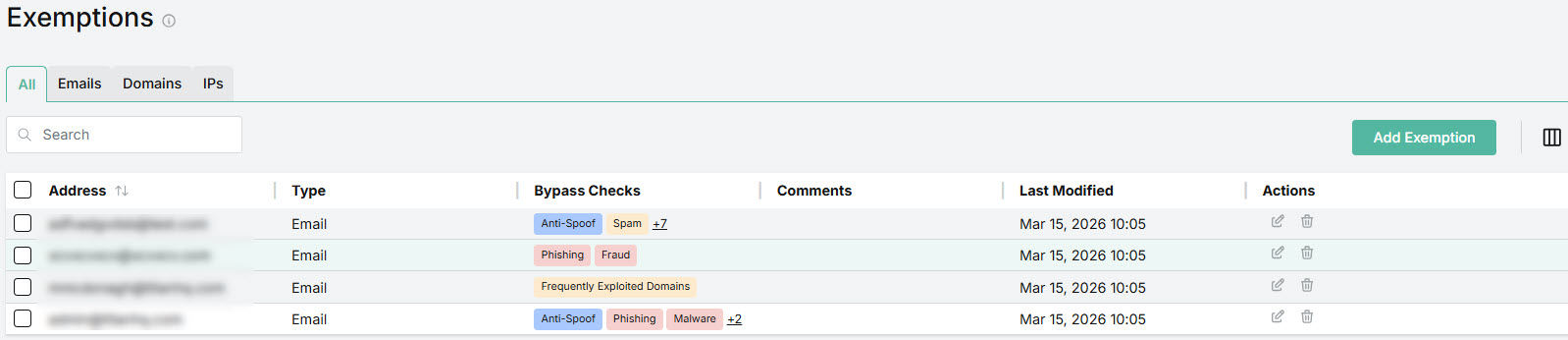
Exemptions
You can add an Exemption for a specific email address, domain or IP to ensure emails from this source aren't flagged or auto-remediated by the selected security checks. This helps to ensure that trusted messages can be delivered to the intended recipient(s) while still maintaining a sufficient level of security.
Note
Exemptions can be added on both the MSP and customer levels. It's important to understand that an entry on the customer level can take precedence over an entry on the MSP level. This happens when there is an exact match in the addresses of the Exemption entries. See Understanding Customer Level Overrides for more details.
You can add exemptions for the following:
Add an exemption for an email address to skip selected checks for specific senders.
Add an exemption for a domain to skip selected checks for a specific sending domain.
Add an exemption for an IP address to skip selected checks for a specific sending IP. This is the sending IP of the mail server.