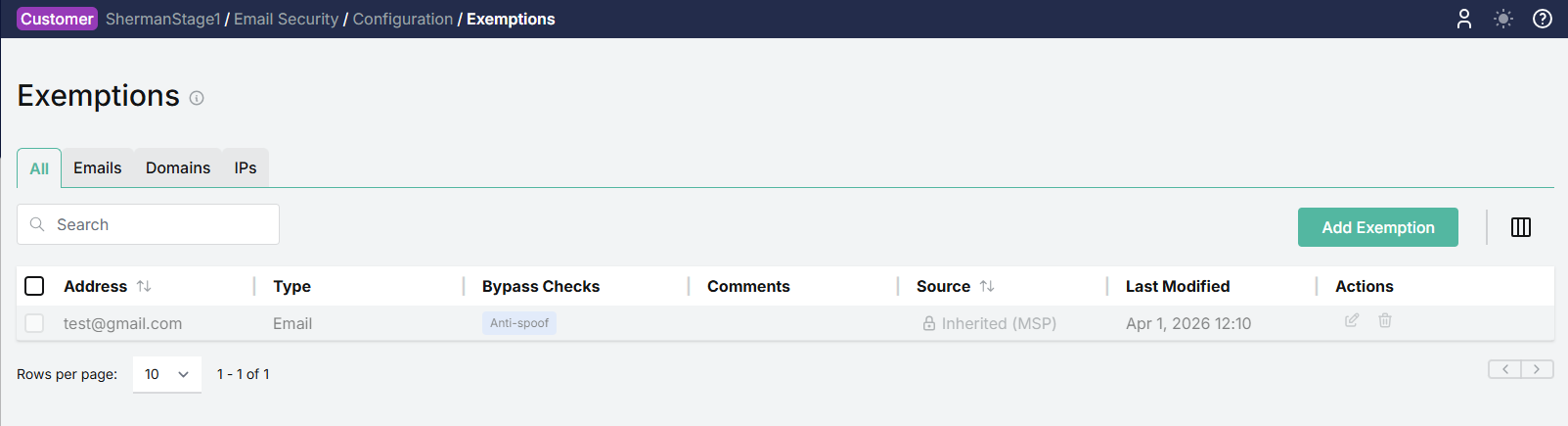
Understanding Customer Level Overrides
Exemptions can be added on both the MSP and the customer level, with the customer level taking precedence. If both an MSP and a customer admin add an exemption for the same email address, domain or IP address, the customer level exemption is what will be applied to the mail flow checks. The MSP level exemption will not be applied.
The example below is based on an email address, but the same would be true for a domain or IP address.
Example: MSP and customer both add exemptions for the same email
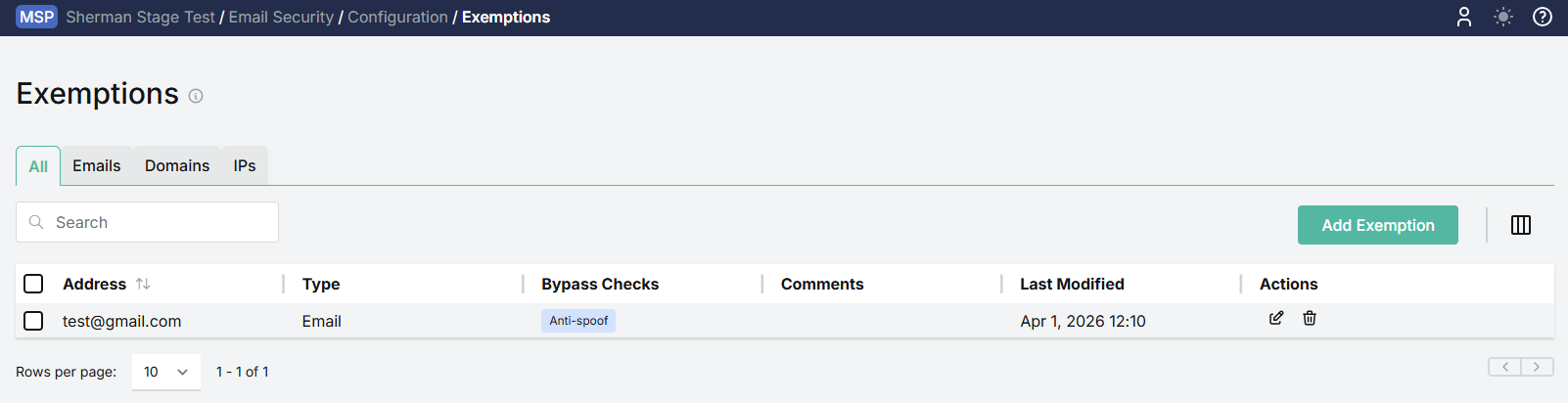
An MSP adds an exemption for Anti-spoof for the email address test@gmail.com:
A customer of this MSP also adds an exemption for the same email address, but for the security checks Spam and Fraud.
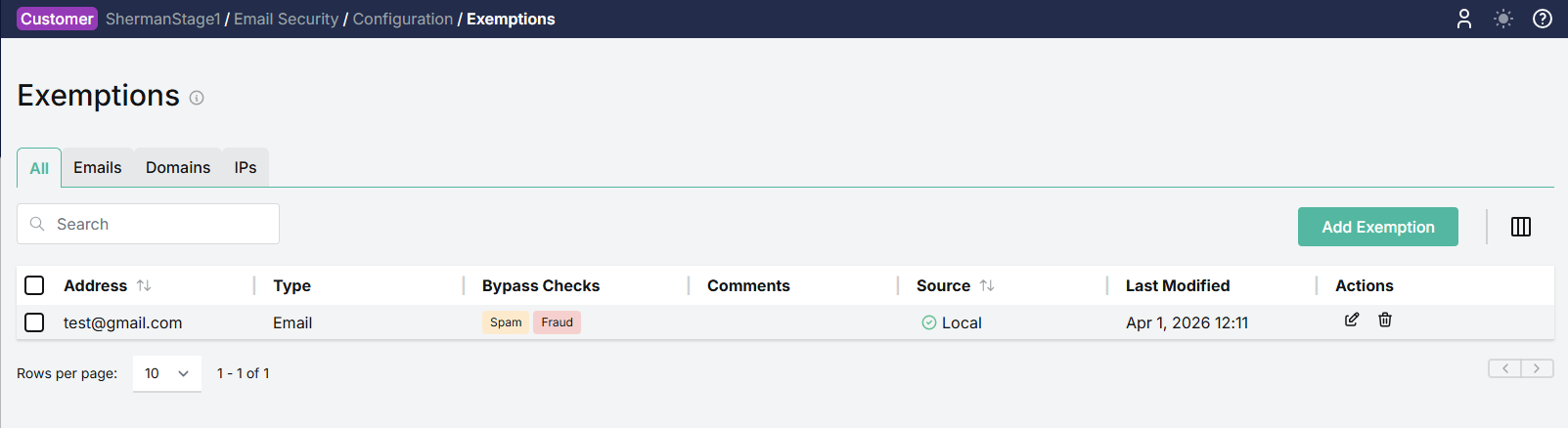
Because the customer level always takes precedence in Exemptions, the customer level entry will override the MSP level entry. The MSP exemption will not be applied to the mail flow checks and will not appear in the customer's Exemptions list. Only the security checks Spam and Fraud will be exempted, as set by the customer, and only these will appear in the customer's Exemptions list.
If the customer later deletes the exemption they set in this example (i.e. the exemption for Spam and Fraud checks on the specified email address), there will no longer be a customer level exemption present, and instead the MSP exemption (Anti-spoof) will start being applied to the email address. This MSP level exemption will now appear in the customer's Exemptions list, where it was not present while the customer level exemption took precedent.